
Pinky rest for the Logitech MX Master 2S
The Logitech MX Master 2S has the flat pinky-side panel the dock needs, so it should fit. We have not had one on the bench yet, so we will not call it confirmed.
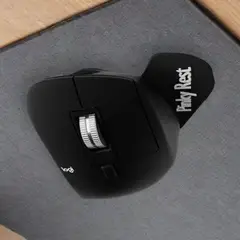
Universal Magnetic Kit
US$24.99
★ 5.0 · 6 reviews
Glides on PTFE feet, like your mouse
Free US & Canada shipping · 30-day returns, even after it is stuck on
Illustration: the kit on an MX Master.
Get it — US$24.99What it is: a thin dock sticks to the right side of your mouse and a grip snaps onto it, so your pinky rests there instead of dragging on the mousepad.
- This page covers
- The MX Master 2S and MX Master (original): they share the same flat pinky side.
- Why the Universal Kit
- The 2S has the same flat right side as the MX Master 3S and 4, where customers used the Universal Kit.
- Weight
- The grips weigh 3 g, 5 g or 6 g (Small, Medium, Large), about one or two US pennies.
- Glide
- Every grip rests on slick glides on the mousepad (PTFE, the same material as your mouse feet), so it slides with the mouse rather than dragging beside it.
- Shipping · returns
- Free US & Canada shipping · 30-day returns, even after it is stuck on · Lifetime replacement
- About the MX Master 2S
- The MX Master 2S is older but shares the flat, button-free right side of every MX Master since. If yours is still going, a pinky rest costs less than replacing the mouse.
The photo shows the kit on a Logitech G502. The dock mounts the same way on the Logitech MX Master 2S's flat right side.
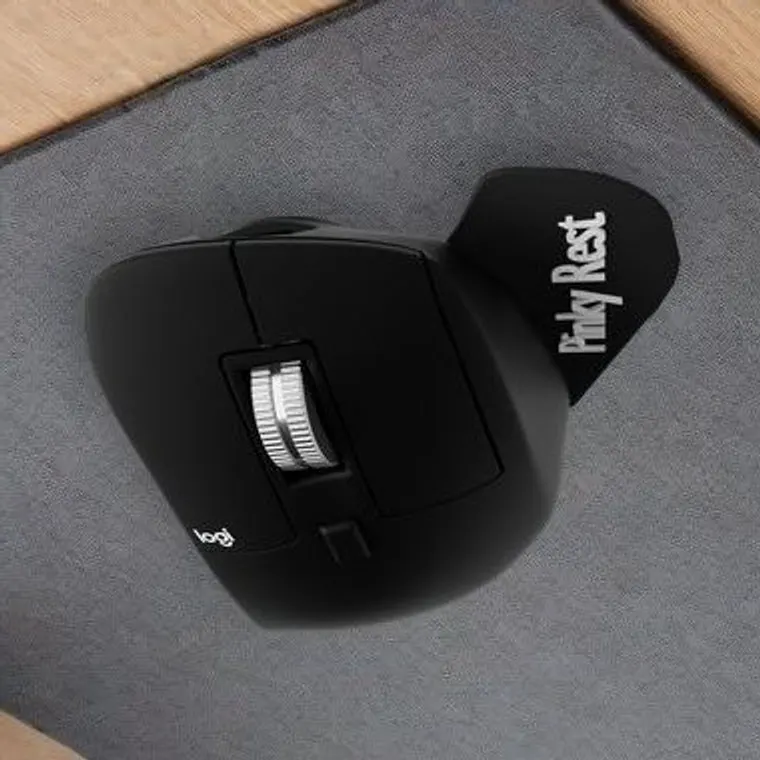
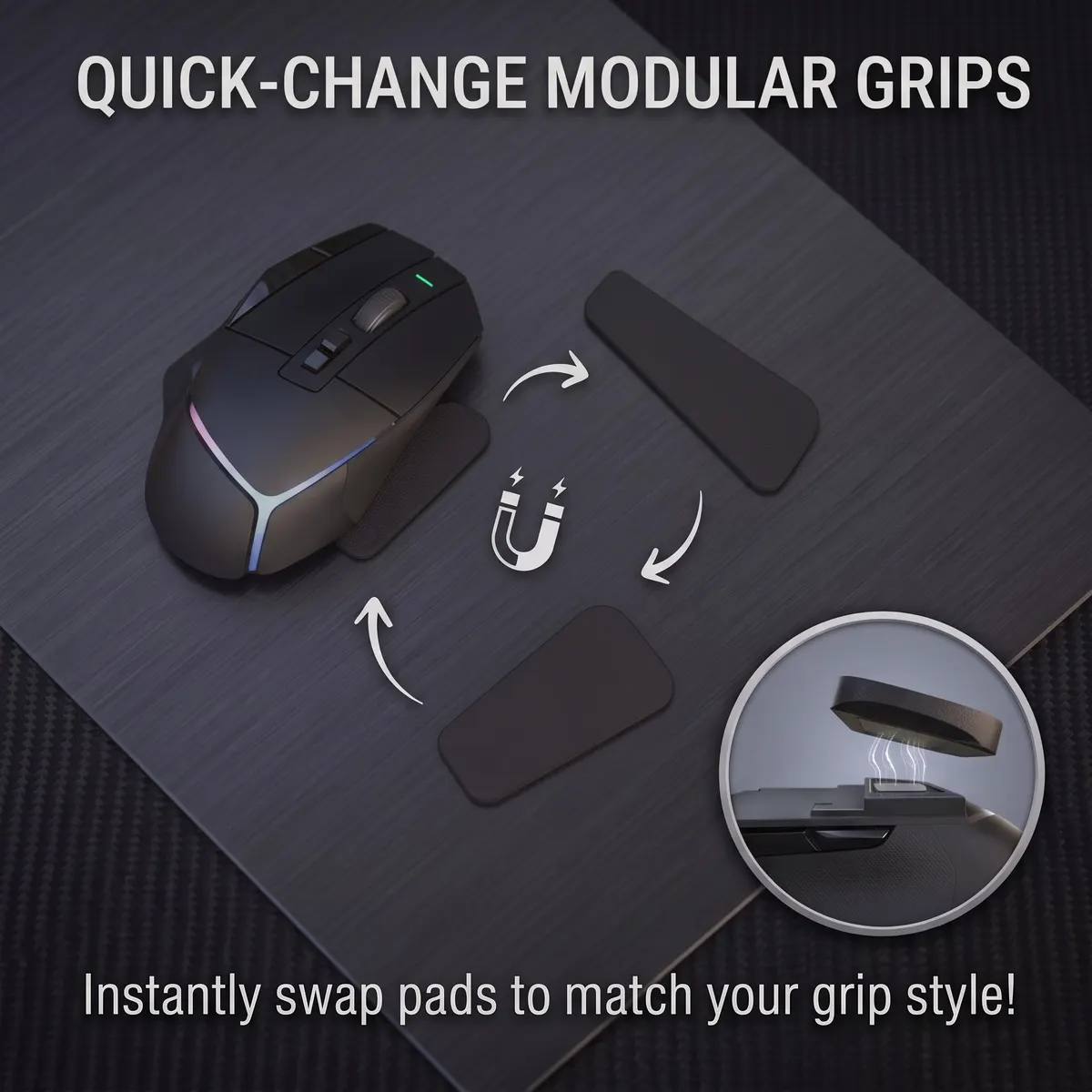
Universal Magnetic Kit
Three grip sizes on one magnetic dock. Fits most mice.
The photo shows the kit on a Logitech G502. The dock mounts the same way on the Logitech MX Master 2S's flat right side.
Logitech MX Master 2S questions.
Does it fit the MX Master 2S, MX Master (original)?
It should. The MX Master 2S and MX Master (original) share the flat pinky-side panel the dock mounts to, but we have not had one on the bench yet. Email a picture of the right side of your mouse to [email protected] and a person will tell you within 1–2 days. You can return it within 30 days of delivery if it does not sit right.
Does the rest touch my mousepad?
Yes, on purpose. Every grip in both kits has PTFE skate glides underneath (the same slick material as mouse feet) that ride on the mousepad, so your pinky rests on something supported and the grip slides with the mouse instead of dragging. The rest itself sits just above the pad on those glides.
Which grip size is right for the Logitech MX Master 2S?
The Universal Magnetic Kit ships all three (Small, Medium and Large), so you do not have to guess. Snap one on, use it for a workday, swap if it is wrong. The 2S has the same flat right side as the MX Master 3S and 4, where customers used the Universal Kit.
Will it damage my Logitech MX Master 2S?
The dock mounts with 3M VHB, the same adhesive used on interior car trim. On hard plastic it comes off clean after a few seconds of hair-dryer warmth and a slow peel. We have not yet peeled one off the MX Master's soft-touch coating ourselves, so on this mouse we do not promise a spotless peel until we have.
Can I use the same grips on a second mouse?
Yes. Add a Spare Magnetic Dock (US$9.99) to the second mouse and the grips you already own snap straight over to it.
The other kit
Contoured Magnetic Kit — US$24.99
A single contoured grip shaped to the natural curve of your hand, on the same magnetic dock. Slick glide pads on the underside let it slide on your mousepad. For anyone who wants one curved shape instead of three sizes.
Which one? Same price, and both ride the same magnetic dock, so every Reaper Mods grip you own works on either. For the Logitech MX Master 2S we suggest the Universal Kit above. Pick the Contoured Kit instead if you want one larger curved grip that cradles your outer hand, with no size to choose.
View the Contoured kitPeel. Stick. Snap.
-
1. Clean the pinky side
Wipe the flat right-side panel of the Logitech MX Master 2S with rubbing alcohol so the 3M tape gets a clean surface.
-
2. Press the dock on
Peel off the backing and press the thin dock onto that spot for 30 seconds. Then wait a few hours before heavy use, so the tape grips fully.
-
3. Snap on a grip
Swap between Small, Medium and Large mid-session, no tools. All three are in the box, and all three glide on the pad.
Also on the shelf.
Give your pinky a rest on the Logitech MX Master 2S.
One dock, three grips, free shipping, and a lifetime replacement if anything ever breaks.